




Org360

One $35 Employee Engagement Survey To See What Your Team Really Thinks- Without Breaking The Bank

Understand morale, culture, and team sentiment through a straightforward survey that delivers clarity fast. Designed for anyone who wants a no-fuss way to understand their people and improve their workplace.

{ We’ll never share your info with anyone }

Support Metrics Row:

Up to 500
respondents

$35
per survey

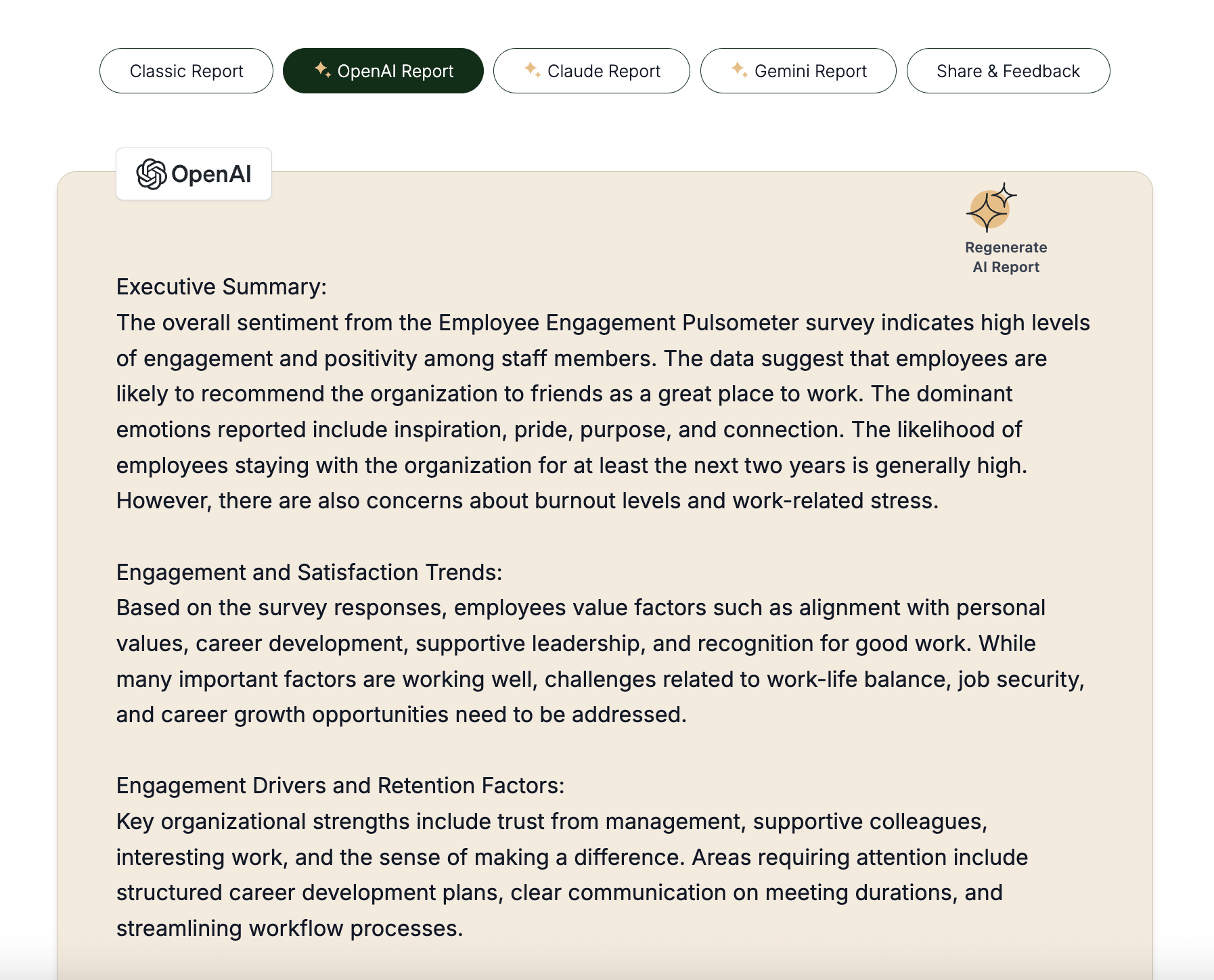
3 AI-powered reports included

How It Works:

Who This Is For:

Why Most Employee Engagement Surveys Miss the Mark

If you’ve ever wanted to understand your team but hit roadblocks, you’re not alone.

It doesn’t have to be this way…

The Affordable, Actionable Way to Assess Your Team

$35 per survey, up to 500 respondents, with 3 AI-powered reports that give you clarity, fast.

Engagement surveys shouldn’t be slow, expensive, or impossible to act on. We built Pulsometer for teams who want real insights without the hassle — simple, clear, and actionable, right when you need them.

How We Improved Team Alignment at Nonprofit Builder

After our annual in-person team retreat, the team ran an Employee Engagement survey to see what worked well in our strategic alignment and where improvements were needed. Insights from the survey highlighted which meeting structures supported collaboration, where clarity was needed, and how schedules could be more flexible.

Using this data, the team adjusted meetings, improved communication, and clarified strategic priorities. Follow-up surveys confirmed the changes had a positive impact on engagement and alignment — all through a light-touch, data-informed approach.

Why Teams Love Our Employee Engagement Surveys

Understand How Your Team Really Feels

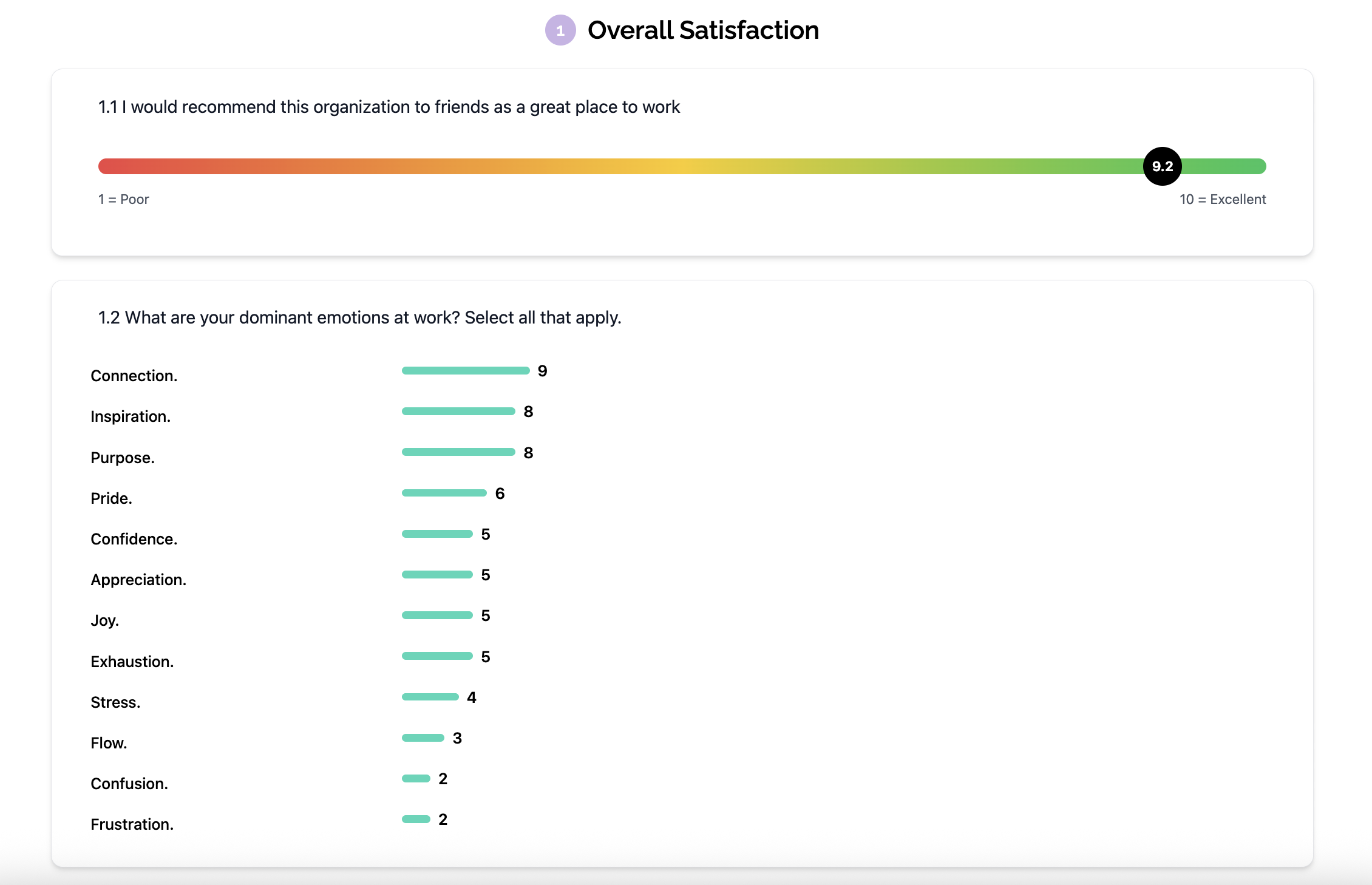
See engagement levels, morale trends, and key drivers of satisfaction across your team.

Spot Problems Before They Grow

Identify friction points, disengaged employees, and areas that need leadership attention — early.

Take Action with Confidence

AI-powered insights highlight what matters most, so you can improve engagement and culture without guesswork.

How It Works

Step 1: Sign Up for Free

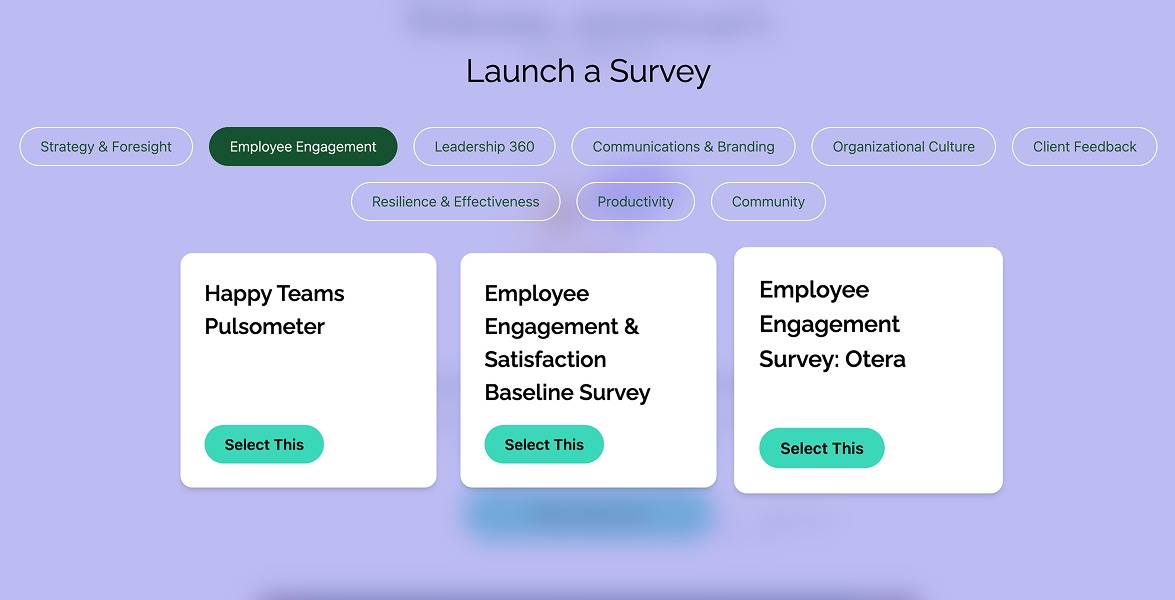
Choose the employee engagement survey that best fits your team from the options we offer.

Step 2: Send to Your Team

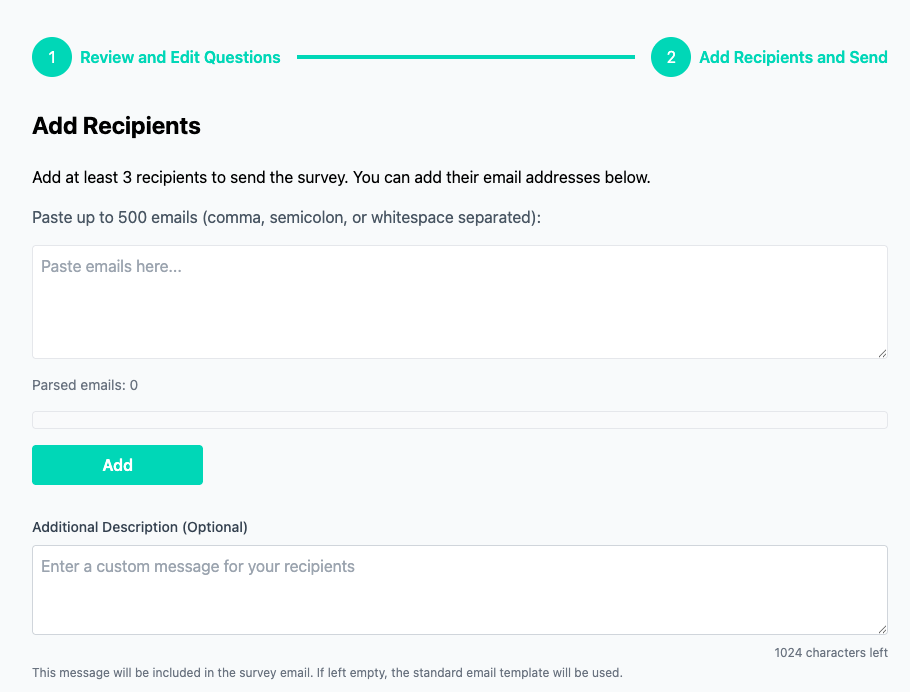
Share the survey with up to 500 respondents in a single click — simple, fast, and hassle-free.

Step 3: Get Instant Insights

Receive AI-powered reports immediately, with actionable insights that show you exactly what to focus on.

Step 4: Act & Improve

Make evidence-based decisions to improve engagement, morale, and your overall organizational culture.

Explainer video

See why teams switch to Org360 instead of traditional engagement tools.

Questions We Get Asked

Reports can be generated as soon as three or more respondents complete the survey.

Yes — all data is protected under GDPR compliance.

No, you can sign-up to create your account and preview all surveys. You only need to buy a credit when you are ready to launch your first survey.

A credit allows you to use a survey once with unlimited respondents. You can even add respondents you may have forgotten until you close the survey.

Yes, just open your free account.

Credits expire after 12 months.

Yes, you very easily can share the credits with team members (so they can do their own 360) or clients (if you are a consultant and they want to launch it) or grantees (if you are a foundation).

If they do not use the credits you have sent them, they are not lost. You can reclaim them with one click, and then use them yourself or send them to someone else.

You can edit all survey questions before sending to customise the wording to your needs. If you wanted to use your edited version again, just re-launch the same survey.

You can also edit the notification to your respondents to add a personal note.

What you cannot do is create your own survey, add new questions, or hide questions. If you need this, reach out, because we are considering to launch a Pro subscription that includes a form builder. This will allow you to offer your own surveys to your employees or clients.

Org360 surveys often touch on sensitive topics like leadership, culture, or employee satisfaction, so trust and privacy are essential.

Here’s how we protect respondent anonymity:

1) We never show individual answers — only aggregated data. Unlike Google Forms or spreadsheets, senders can’t see who said what.

2) Open-text comments are shuffled automatically, so their order changes for every question, making it hard to trace writing styles.

3) the AI summary reports are totally anonymous, because even the open text replied are summarized.

For extra privacy, the survey can be managed results by HR, an external coach, or

While no system can guarantee 100% anonymity (people’s writing styles can reveal them), the best protection is a culture of trust:

Leaders should invite honest feedback, thank people for it, never retaliate — and most importantly, act on it.

Over time, this builds a culture where feedback is shared openly because people know it’s valued and leads to real improvement.

We understand that some users are cautious about sharing organizational data with AI tools. Org360 is designed with privacy by default: it’s an AI-optional platform where you stay in full control.Here’s how we keep AI use safe and respectful:

1) AI is optional: The main “classic” report contains all results. AI reports are only generated when a user explicitly clicks to request them.

2) No identifiers shared: We never send names of people or organizations to the AI, it only sees anonymized, generic text.

3) Built-in privacy alerts: If respondents type capitalized words (like names), they get a warning to rephrase (“my org,” “my colleague,” etc.).

This ensures your data stays private, secure, and handled with full respect for confidentiality.

Absolutely. Our Founder and CEO (Daniel) is available direct at [email protected] , and our Client Success & Product Operations Manager (Muqaddus) is at [email protected] . Please do reach out. They don’t have assistants or anyone who reads their emails, so you’ll hear from them directly.

{ We’ll never share your info with anyone }